
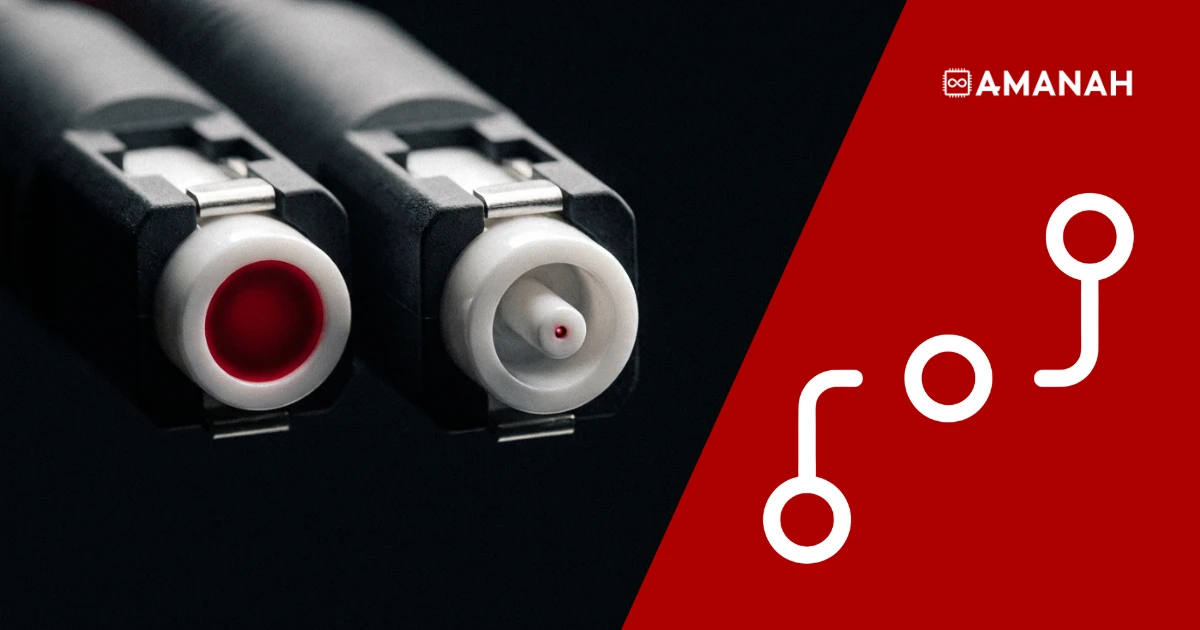
Short answer: Single mode vs multimode fiber comes down to core width and reach. Multimode fibre has a wider core, costs less, and is built for short runs, typically under a few hundred metres. Single mode fibre has a narrow core, sends light along essentially one path with far less signal loss, and is built for long runs, from data-hall scale to many kilometres. Anything leaving the building on a cross-connect is almost always single mode.
Most conversations about data centre connectivity stay at the network layer: carriers, BGP, peering. Underneath all of that is glass and copper in the ground, and where that glass and copper physically runs decides what is even possible above it. We sit at 151 Front Street West, directly beside Union Station and on top of one of the densest fibre corridors in the country.
This piece works through the physical layer in the order it actually matters: the two fibre types and when each one wins, how fibre relates to Ethernet, the optics that plug into it, lit versus dark, why latency and bandwidth are separate problems, why this address is what it is, and the room where every connection in the building gets made.
Single Mode vs Multimode Fiber: Which One Do You Actually Need?
Short answer: Use multimode inside a single data hall, over short distances, where cost matters more than reach. Use single mode for anything crossing the building, reaching a carrier, or leaving the site. Cross-connects through a meet-me room are almost always single mode.
The names describe how light travels through the glass. Multimode fibre, written MMF, has a core wide enough that light bounces through it at multiple angles, or modes, which spreads the signal out and costs clarity over distance. Single mode fibre, written SMF, has a core narrow enough that light travels in essentially one straight path, which is why it holds up over much longer runs with far less degradation. If you see a spec sheet or a procurement thread arguing SMF vs MMF, that core width is the whole argument. The ITU standardizes the single mode characteristics under ITU-T Recommendation G.652, “Characteristics of a single-mode optical fibre and cable”.
| Property | Multimode (MMF) | Single mode (SMF) |
| Core | Wider, light travels multiple paths | Narrow, light travels essentially one path |
| Practical reach | Short, typically under a few hundred metres | Long, data-hall scale up to many kilometres |
| Relative cost | Lower per link | Higher per link, lower cost per kilometre |
| Signal loss over distance | Higher, spreads with reach | Lower, holds up over long runs |
| Typical use here | Between racks inside one data hall | Cross-connects, carrier handoffs, anything leaving the building |
In a rack you can usually tell them apart before you read a single label. Patch cords follow a colour convention: single mode is conventionally yellow, multimode OM3 and OM4 are aqua. It is a convention rather than a guarantee, so verify before you rely on it, but it is the fastest first check there is.
In practice: connecting two devices a few racks apart, multimode is common and cost-effective. Connecting to a carrier, to a different data hall, or through a cross-connect in our meet-me room, you are on single mode. Getting this wrong at the transceiver level is one of the most common physical-layer mistakes we see from customers setting up their own equipment, which brings us to SFPs.
Fiber vs Ethernet: Are They Even Competing Things?
Short answer: No. Ethernet is a protocol, the rules for how data is framed and addressed. Fibre and copper are physical media, the actual cable the signal travels through. Ethernet runs over either. The question is not “fibre or Ethernet”, it is “which physical medium is carrying my Ethernet”.
The confusion is common, because most people meet Ethernet first as a copper patch cable. But 10 Gigabit Ethernet, 100 Gigabit Ethernet and faster all run over fibre as readily as copper, especially past short distances. The IEEE 802.3 standard for Ethernet specifies operation from 1 Mb/s to 400 Gb/s across a range of physical media, which is exactly the point: one protocol, many cables.
Inside a data centre, the choice between copper and fibre usually comes down to three things: distance, speed, and interference. The figures below are the typical working limits engineers plan around rather than absolute ceilings, since the exact reach depends on the cable category, the optics and the environment.
| Factor | Copper (twisted pair) | Fibre |
| Max practical distance | Around 100 metres at 10Gbps | Kilometres to tens of kilometres, depending on type |
| Speed ceiling | Workable up to 25 to 40Gbps at short range | 100Gbps and beyond, standard in modern data centres |
| Electromagnetic interference | Susceptible, needs shielding near power gear | Immune, carries light not an electrical signal |
| Typical use in our racks | Short in-rack and cross-rack links | Cross-connects, uplinks, anything leaving the rack |
Inside a single rack, copper is often fine and cheaper. The moment a connection needs to leave the rack, cross the data hall, or leave the building, fibre becomes the obvious choice, which is why every cross-connect and meet-me room connection at 151 Front Street West runs on fibre.
SFP vs SFP+: What Is the Part Everyone Forgets to Check?
Short answer: An SFP is the transceiver module that plugs into a switch or router port and converts electrical signals to optical ones and back. SFP handles up to 1Gbps, SFP+ up to 10Gbps, and QSFP and QSFP28 handle 40Gbps and 100Gbps. The module, not the port, is what decides how far a link can actually reach.
An SFP, small form-factor pluggable, is the piece that determines what kind of fibre a given port can talk over and across what distance. The switch matters, but the optic decides the physical reach.
- SFP handles up to 1Gbps.
- SFP+ handles up to 10Gbps and is the most common module in modern data centre cross-connects.
- QSFP and QSFP28 handle 40Gbps and 100Gbps respectively, for high-density uplinks.
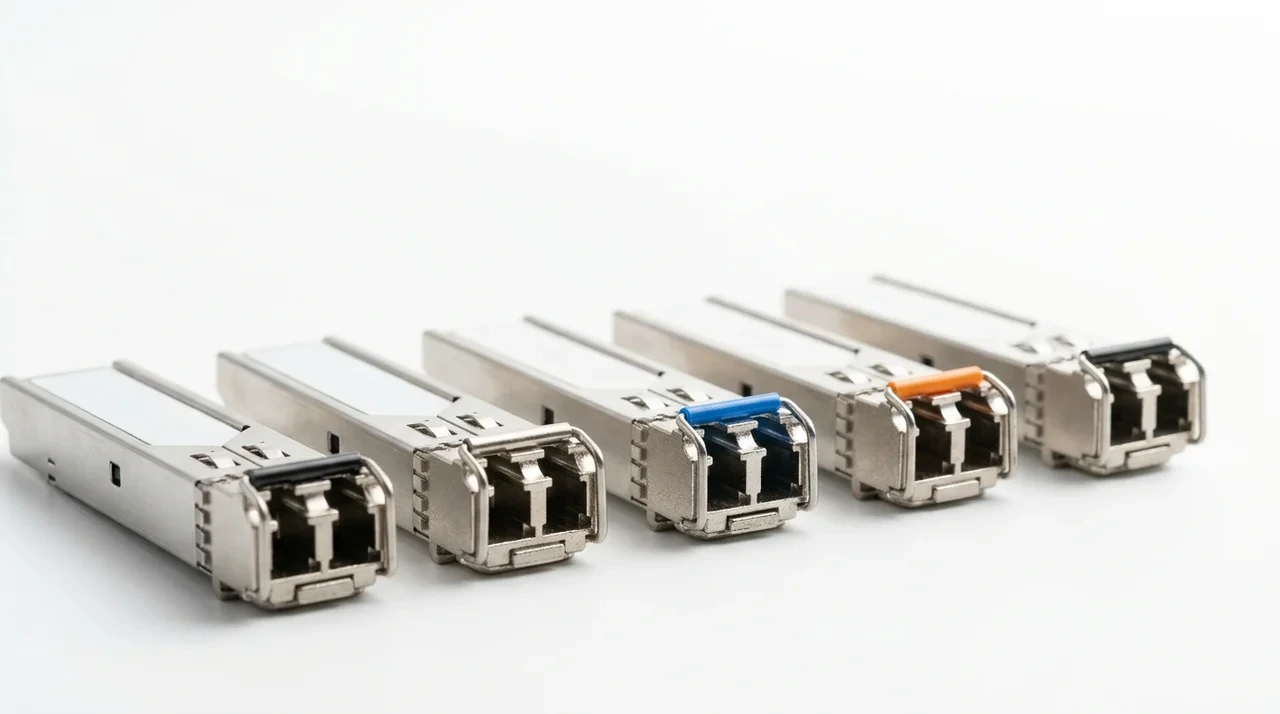
Within each, variants split by fibre type and reach. SR, short range, is multimode. LR, long range, is single mode. Those two are the ones you will meet most, and mismatching an SR optic to a single mode cross-connect is the classic reason a link will not come up.
Lit Fiber vs Dark Fiber: What Is the Difference?
Short answer: Lit fibre is a connection a carrier already operates for you, with their equipment lighting the glass and managing the signal. Dark fibre is the bare glass itself, leased with no equipment attached, so you supply the lasers and control the connection end to end.
Most customers use lit fibre, which is simpler: you buy a port, a carrier manages everything behind it, and you pay for the service. Dark fibre is a different arrangement entirely, effectively renting a physical strand of glass. It costs more to operate because you own every piece of equipment on both ends, but it gives you full control over the protocol, the speed and the upgrade path, without waiting on a carrier’s roadmap. Large enterprises and other carriers are the typical dark fibre customers.
Latency vs Bandwidth: Are They Really Two Different Problems?
Short answer: Yes. Bandwidth is how much data can move at once, the width of the pipe. Latency is how long a single piece of data takes to make the trip, the length of the pipe plus everything it passes through. A connection can have enormous bandwidth and still feel slow if latency is high.
These get treated as one metric in casual conversation, and they are not. High latency is common on long-haul or heavily-hopped routes regardless of how much capacity the link has.
This is why physical proximity and routing decisions matter independently. Being physically close to backbone fibre shortens the distance a signal has to travel, which helps latency. Choosing the best path across multiple carriers reduces the number of hops, which also helps latency, and is the reason we run our own network rather than reselling a single carrier’s. Bandwidth is a separate question, largely about the capacity of the link and the equipment you provision.
Why Does the Address Matter? Union Station and the Rail Corridor
Short answer: Long-haul fibre follows existing rights-of-way, and rail corridors are among the oldest and most built-up of them. 151 Front Street West sits on top of Toronto’s rail corridor at Union Station, so the physical cabling connecting Toronto to the rest of Canada and the US runs through this exact stretch of downtown.
Long-haul fibre routes are expensive to build and disruptive to install, so operators build them along rights-of-way that already exist wherever possible: rail corridors, highway medians, utility easements. Toronto’s rail corridor through Union Station is one of the oldest transportation spines in the country, and telecom carriers have run conduit alongside it for decades.
That proximity means the fibre runs connecting our data centre to carrier backbones, to other data centres, and to the rest of the country are shorter and more direct than they would be almost anywhere else in Toronto. It is also why so many carriers already have infrastructure nearby, which is a large part of why the building became a carrier hotel in the first place. Density attracts density: carriers build where other carriers already are, because that is where interconnection actually happens.
What Is a Meet-Me Room, and Why Does a Carrier Hotel Need One?
Short answer: A meet-me room is the physical space in a carrier hotel where different networks terminate their fibre and interconnect with each other and with building tenants. It exists because running a direct fibre path between every possible pair of networks would be an unmanageable tangle. Everyone terminates in one room instead, and connections are made there through structured patch panels.
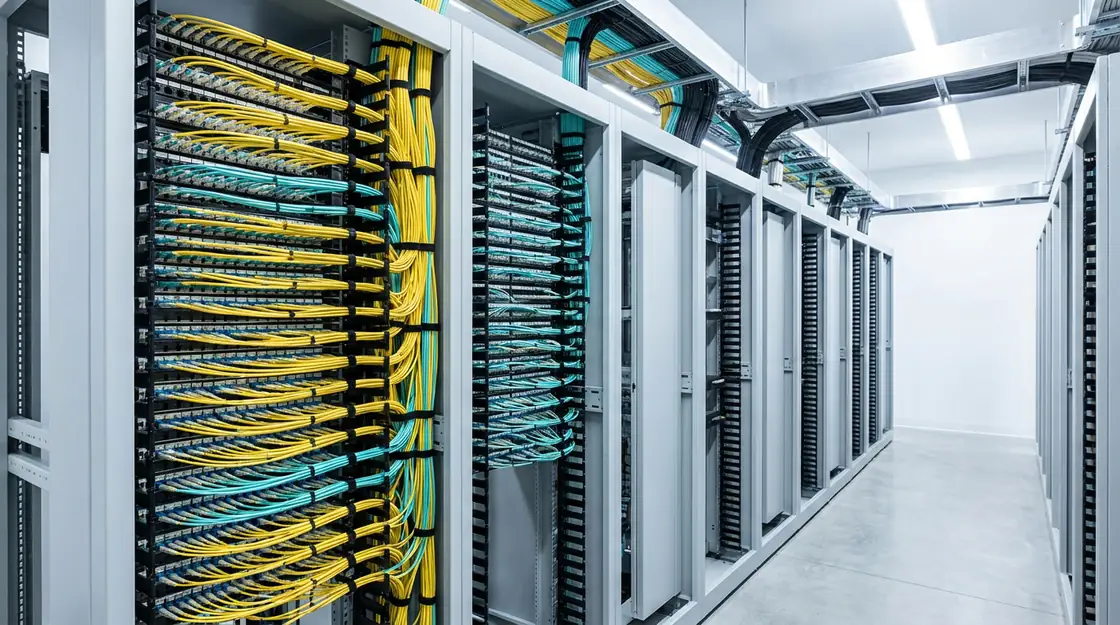
Ours is one of the reasons 151 Front Street West functions as a carrier hotel rather than just a data centre. It is where our four carriers, Beanfield, Cogent, Zayo and NetActuate, plus the TorIX exchange, physically land, and where a customer’s cross-connect request actually gets executed. TorIX, the Toronto Internet Exchange, is Canada’s largest internet exchange point, which means peering traffic that would otherwise leave the city can be exchanged here.
We do not cap cross-connects per customer. However many a deployment needs, we provision them, so a growing rack does not run into an artificial interconnection limit partway through a build.
We have written about the room itself in more detail in our guide to the meet-me room at our Toronto data centre.
Cross-Connects: What Physical Order Are You Actually Placing?
Short answer: A cross-connect is a dedicated fibre or copper patch cable run inside the meet-me room, physically connecting your equipment to another network’s or another customer’s equipment. It is the physical-layer version of a peering agreement: one cable, one direct connection, no shared infrastructure in between.
When you request a cross-connect to one of our carriers, or to another tenant in the building for a private interconnect, our team runs a physical fibre patch between your termination point in the meet-me room and theirs. From our end that takes one to two business days, request to live link. From that point on you have a direct physical path, not a routed path through shared switching. That is part of why cross-connects are lower latency and more reliable than routing the same traffic over a public internet path: there is simply less in between.
For what that looks like in practice at this address, see cross-connects at 151 Front.
Why Do Fiber Entry Points Need to Be Redundant and Diverse?
Short answer: Because a building can have several carriers and still have one point of failure. If every carrier’s cable enters through the same conduit or the same side of the building, a single backhoe through one trench takes them all out at once.

Proper diverse routing means physical fibre paths enter a facility from separate directions, so a single dig, fire or localized incident cannot sever every connection simultaneously. This is the physical-layer complement to carrier and BGP redundancy. Multiple carriers only deliver real resilience if their cables are not all bundled through the same physical chokepoint on the way in.
151 Front Street West has four physically diverse fibre entry points. That is the number worth asking any provider for, because it is the one that decides whether carrier redundancy on paper survives a single backhoe in the street.
Tell us your equipment and target network.
We will confirm the fibre type, the optics and the timeline before you show up, so your link comes up the first time.
Questions about this topic
Core width and reach. Multimode has a wider core, light travels several paths, and it is built for short runs under a few hundred metres at lower cost. Single mode has a narrow core, light travels essentially one path, and it holds a clean signal over many kilometres. Multimode suits links inside one data hall. Single mode is what carrier cross-connects use.
No. The optic has to match the fibre. An SR optic is multimode, an LR optic is single mode, and pairing an SR module with a single mode cross-connect is one of the most common reasons a new link will not come up. Confirm the fibre type before you order optics.
One to two business days from our end, from the request to a live link. Timelines involving a third-party carrier on the far end depend on that carrier as well. Confirming the fibre type and the optics with us before you order equipment is what usually keeps a provisioning inside that window.
Four, physically diverse. Separate entry paths matter because a building can have several carriers and still lose all of them at once if every cable enters through the same conduit. Diverse entry is what makes carrier redundancy real rather than nominal.
No. We provision as many cross-connects as a deployment requires, so interconnection is not a constraint on how a rack grows.
No. Our team handles the physical-layer decisions for any cross-connect or uplink we provision. It matters most if you are bringing your own network equipment and need to specify compatible optics, or if you are troubleshooting a link that will not come up.
A cross-connect is a direct, dedicated physical link to one specific network or customer. A regular internet connection routes through shared infrastructure and multiple networks to reach any destination. Cross-connects are used for high-value, high-volume or latency-sensitive relationships, such as a direct link to a carrier or to a business partner.
Dark fibre is unlit glass leased to you with no carrier equipment attached, so you supply the optics on both ends and control the protocol, the speed and the upgrade path. It costs more to operate than a lit service and it suits large enterprises and carriers that want end-to-end control. Most colocation customers are better served by lit fibre.
Speak with our team about your specific requirements. In general, carriers and large customers can arrange direct entry, and the meet-me room is where that fibre would terminate and interconnect with the rest of the building.
The rail corridor is not where your traffic is going, it is where the physical cable happens to run, because the right-of-way already existed. The benefit is proximity: shorter fibre runs to carrier backbones mean less physical distance, and therefore less latency, between this building and the wider network.