
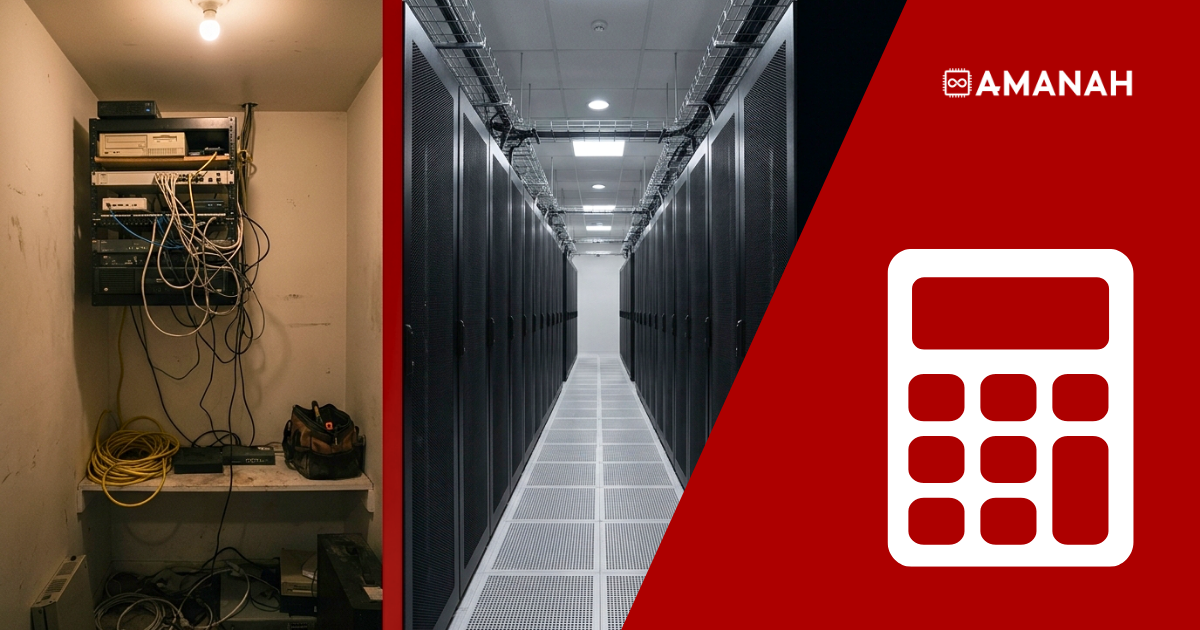
Colocation vs on premise comes down to one question: who pays for the power, cooling, redundancy and staff your servers need? On premise, you do, and most of it never appears as a line item. Colocation moves the hardware you already own into a facility built for the job and turns those scattered costs into a single monthly rate.
Keeping servers in-house feels like control. What it costs in electricity, HVAC capacity, floor space and risk rarely makes it onto a spreadsheet. Here is the real math.
- Colocation vs on premise is rarely a hardware decision. It is a decision about who carries the power, cooling, redundancy and staffing.
- An on premise data centre hides its cost in electricity, HVAC, floor space and IT hours. None of it appears on the server invoice.
- A server closet has one power feed, one cooling source, one uplink and one person who knows the wiring. That is four single points of failure.
- Colocation at 151 Front Street West replaces all four with N+1 redundant power, precision cooling, 400+ carrier-neutral networks and an on-site team.
- On premise still wins for extreme-latency equipment, regulatory physical-possession mandates, and footprints too small to be worth moving.
- Amanah beats any comparable colocation quote by 10%, all-inclusive, on one-year terms.
Colocation vs on premise: what is the actual difference?
On premise means your servers live in your own building, on your power, your cooling and your internet connection. Colocation means the same servers, which you still own and configure, live in a purpose-built data centre that supplies redundant power, precision cooling, carrier-neutral connectivity and physical security. Colocation is not a hardware change. It is a change of address for hardware you already have.
That distinction matters because most on premise setups were never designed. A server closet is usually just where the first server ended up, and it stayed there by default. Colocation at 151 Front Street West is the opposite: a room engineered around the specific job of keeping equipment powered, cooled, connected and secure, around the clock.
Why does an on premise data centre look cheaper than it is?
An on premise data centre looks cheap because you already own the building. The power, the space and the cooling feel like sunk cost rather than an ongoing bill. Every one of them has a real and growing cost: the electricity the rack draws around the clock, the HVAC capacity to keep that room in spec, the square footage it occupies, and the staff hours spent babysitting hardware instead of building product.
None of that shows up next to “server: $4,000” on a purchase order. It shows up later, on the summer afternoon when the office air conditioning cannot keep up, or the week your one IT hire is on vacation and a drive fails.
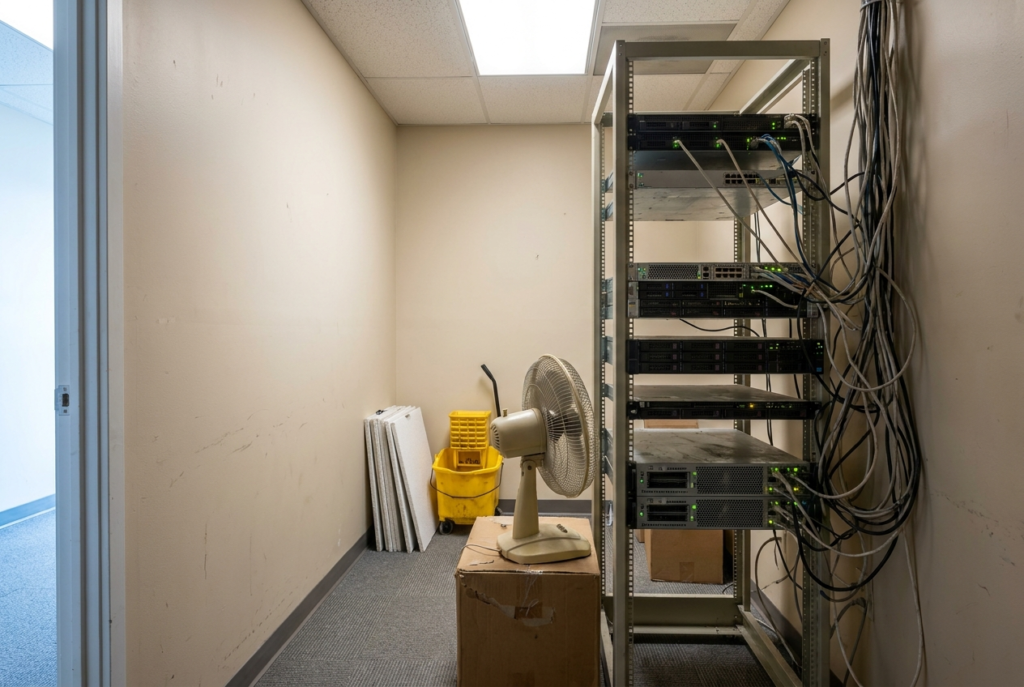
The cooling gap is the one people underestimate most. ASHRAE’s TC 9.9 thermal guidelines put the recommended inlet temperature range for data-centre equipment at roughly 18°C to 27°C, held continuously. Office HVAC is designed for people, runs on a building schedule, and was never sized for the heat a loaded rack throws off at 3 a.m. on a long weekend.
What does on premise actually cost once you count everything?
The purchase price of a server was never the real cost of running it on premise. The colocation cost comparison only works once you put the hidden items on the same invoice. Five costs do the damage, and none of them arrive as a single dramatic number.
- Power draw, every hour of every day. Servers do not take nights off, and neither does the electricity running them, plus the HVAC fighting the heat they generate.
- Cooling capacity you have to over-provision. Keeping a rack within the recommended envelope usually means supplemental cooling that was never in the building budget.
- Square footage that could be doing something else. A server closet is office space not housing people or product work.
- The people cost of “whoever’s free”. Without dedicated facilities staff, hardware failures get handled by whoever happens to know how, pulled off the job they were actually hired for.
- The single point of failure you are personally underwriting. One power feed, one internet line, one cooling system, and no redundant path to fall back on.
These do not show up as a line item. They show up as a slow tax on your team’s time and your business’s risk, paid quietly every month whether or not anything goes wrong.
Server closet vs colocation: the side-by-side comparison
Set the two side by side on the dimensions that decide uptime, and the gap stops being a matter of opinion.
| Dimension | On premise | Amanah colocation at 151 Front |
| Power | One utility feed, maybe a UPS for a few minutes of runtime | N+1 redundant power with on-site generator backup |
| Cooling | Office HVAC, not sized or built for rack heat loads | Precision cooling, engineered for 24/7 rack density |
| Connectivity | One ISP contract, one physical line into the building | Carrier-neutral, 400+ networks, direct TorIX peering |
| Physical security | Office door lock, shared foot traffic | Access-controlled facility, monitored around the clock |
| Maintenance | Whoever is around handles it, if they are around | On-site team, hands, feet and eyes when you need them |
| Growth | Bound by the power and space the room already has | Add rack space or power on demand, no renovation required |
| Cost shape | Feels sunk because you already own the space | One predictable monthly rate, all-inclusive |
What happens when something in the server closet fails?
A single rack in a closet has exactly one of everything: one power circuit, one cooling source, one internet connection, one person who understands the setup. That is not resilience, it is a chain with one link. A colocation facility exists specifically to remove that single-link problem, with redundant power, redundant cooling, redundant connectivity and a team on site around the clock.
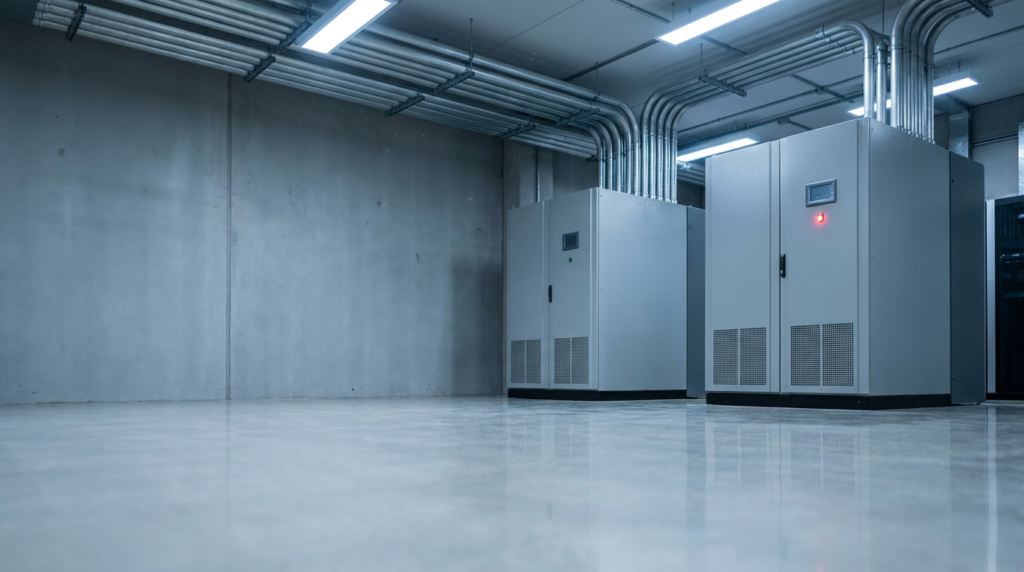
Power is where it usually breaks. Uptime Institute’s annual outage analysis has consistently identified power-related incidents as the leading cause of significant data-centre outages, and power is precisely the system a server closet has the least redundancy in. A UPS that buys you eight minutes is not a generator, and a generator you do not have is not a plan.
“A server closet has one power feed, one cooling unit, and one person who knows how it is wired. None of those are a plan. They are a single point of failure with a lock on the door.”
Colocation vs cloud vs on premise: which model fits which workload?
Most teams weighing colocation vs on premise are quietly weighing public cloud at the same time. The three models differ less in capability than in who owns the hardware and where the cost lands.
| On premise | Colocation | Public cloud | |
| Owns the hardware | You | You | The provider |
| Cost shape | Lumpy and partly hidden | One predictable monthly rate | Variable, usage-based |
| Redundancy | Whatever you built | N+1 power and cooling as standard | Built in but abstracted |
| Configuration control | Full | Full | Limited to the provider’s menu |
| Scaling | Needs a renovation | Add rack space or power on demand | Instant, at a price |
| Data residency | Your building | A named Canadian facility | Depends on the region you select |
| Who fixes the hardware | Whoever is free | On-site team | Not your problem, not your visibility |
If the cloud bill rather than the server closet is what started this conversation, the comparison you actually want is cloud repatriation versus dedicated infrastructure, which runs the same math from the other direction.
When does on premise genuinely make sense?
There are real cases where keeping hardware in-house is the right call: extremely latency-sensitive equipment that has to sit next to the people using it, regulatory requirements that mandate physical possession of specific hardware, or a footprint so small the overhead genuinely is not worth moving. If that is your situation, colocation will not fix a problem you do not have.
For most businesses, though, the server closet is not a deliberate choice. It is where the first server ended up, and it stayed there by default. That default gets more expensive and more fragile every year the business grows around it.
What are the benefits of colocation for a growing business?
Moving your hardware to 151 Front does not mean giving up control of it. Your equipment lives in a facility built for exactly this job, while you keep the physical ownership and configuration you already have. Four things change immediately.
Power you never have to think about
N+1 redundancy and on-site generator backup replace the single utility feed your office runs on.
Cooling built for rack heat, not office comfort
Precision cooling with redundant capacity, engineered specifically for server density rather than human comfort on a weekday schedule.
A team on site, not a coworker doing a favour
Hands, feet and eyes at the facility, ready when your hardware needs attention. Remote hands means a reboot, a cable swap or a drive replacement does not require anyone from your team to drive downtown.
Room to grow without a renovation
Add rack space, power or bandwidth as you need it, with no construction project. Connectivity scales the same way: 151 Front is carrier-neutral with 400+ networks on site and direct peering at TorIX, the Toronto Internet Exchange, rather than one ISP contract and one physical line into a building.
How hard is a data centre migration, really?
Less hard than the fear of it. The idea of moving hardware out of an office keeps businesses in the closet far longer than the economics justify, so it is worth being specific about what a data centre relocation actually involves. Our migration support team plans the move with you, and you can ship your equipment to us so we receive, unpack and rack it. Nobody from your team needs to be on site for the move.
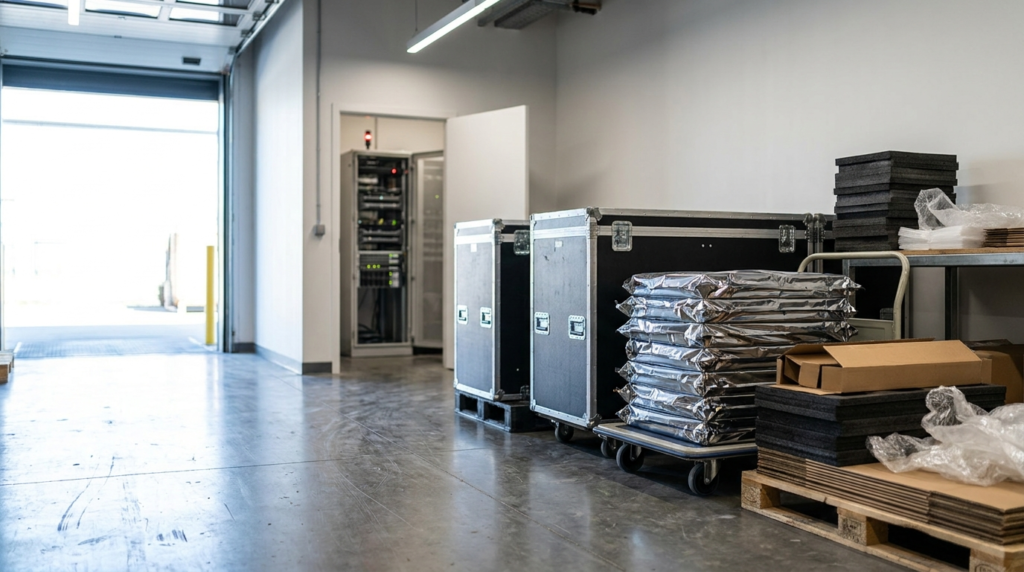
- Migration support, start to finish. Our team plans the move, receives your equipment, and gets it unpacked and racked without your team making the trip.
- Free consultation and honest math. We walk through what your current setup actually costs before you commit to anything.
- No locked-in contracts. One-year colocation terms, with no multi-year commitment required to get started.
What does colocation cost in Toronto?
Colocation in Toronto is billed as one predictable monthly rate covering space, power, cooling, connectivity and physical security, rather than the scattered and largely invisible costs of running on premise. Amanah beats any comparable colocation quote by 10%, all-inclusive, with no surprise fees and no multi-year lock-in. The honest comparison is not the monthly rate against zero. It is the monthly rate against what your closet already costs you in power, cooling, floor space, staff time and unhedged risk.
Put a real number on your server closet
Your server closet has been quietly costing you for years.
A free consultation and data centre tour puts a real number on it, with no commitment required. See what your hardware actually costs to run on premise versus at 151 Front Street West.
Questions about this topic
No. Colocation means housing the hardware you already own in our facility instead of your office. You keep your servers, your configuration and your control, and we provide the power, cooling, connectivity and physical security around them.
Electricity to run the rack around the clock, supplemental cooling capacity most office HVAC was never built for, the square footage the equipment occupies, and staff time spent handling hardware issues instead of their actual job. None of it is a single line item, but it adds up every month.
Yes, in specific cases: equipment with extreme latency requirements that must sit next to its users, regulatory mandates requiring physical possession, or a footprint too small for the move to be worth it. For most growing businesses, though, the server closet is a default rather than a deliberate decision.
Our migration support team works through the plan with you first, then you ship the equipment to us and we unpack and rack it at 151 Front Street West without anyone from your team needing to be on site, so there is no surprise downtime.
Colocation runs on one-year terms, with no multi-year lock-in required. You also get a free consultation and data centre tour before deciding anything.
With colocation you own the hardware and rent the environment around it. With a dedicated server you rent the hardware too, and the provider owns and replaces it. Colocation suits teams with equipment already bought and configured; dedicated servers suit teams who would rather not own hardware at all.